
Bub cleans
iPhones too.
CleanBub for iPhone finds duplicate and similar photos, compresses videos and merges contacts. Coming soon to the App Store.
 CleanBub
Coming soon
CleanBub for Mac
Scan once to see what is using your disk and what is safe to remove. Nothing is deleted until you confirm, and everything stays on your Mac.
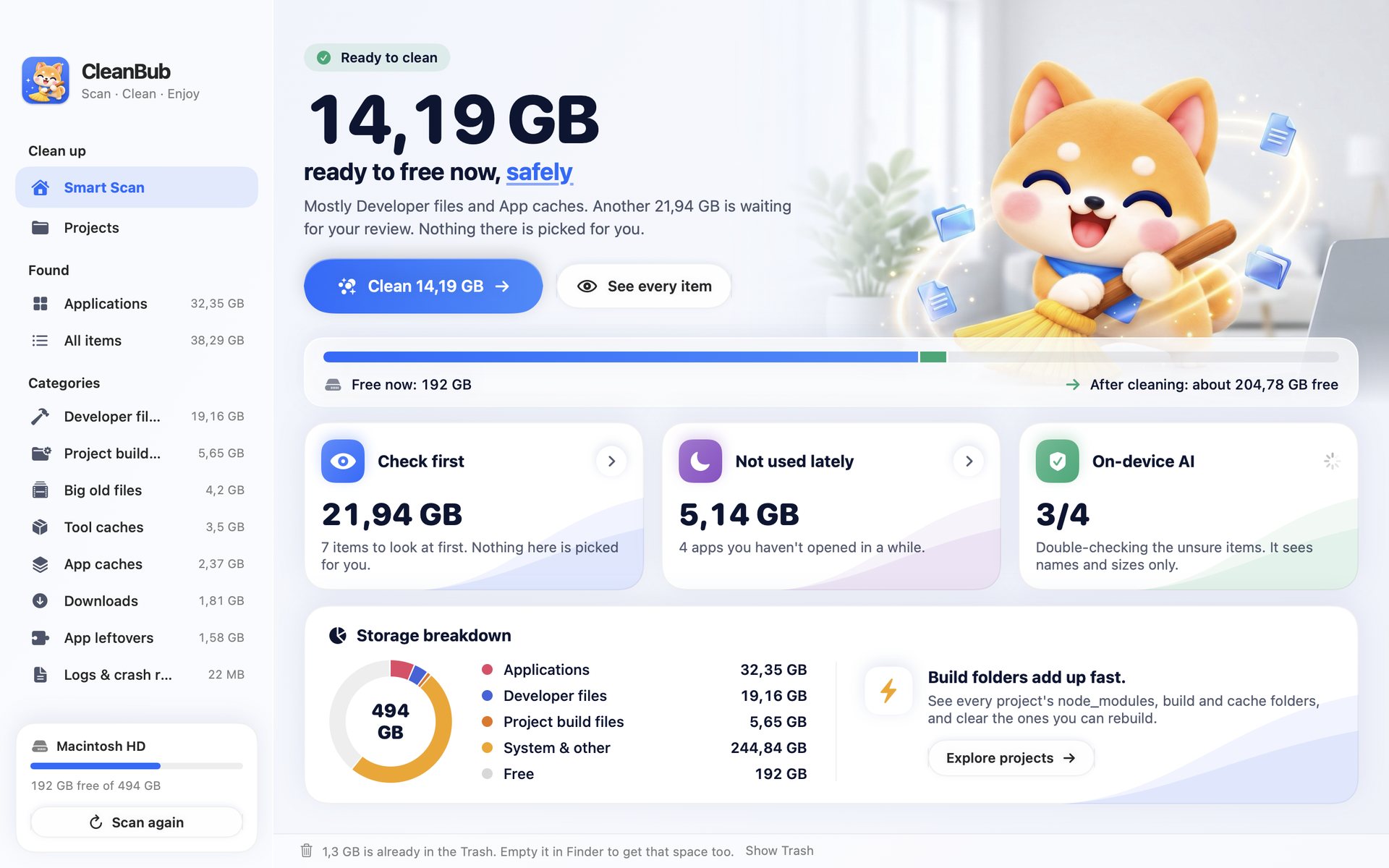
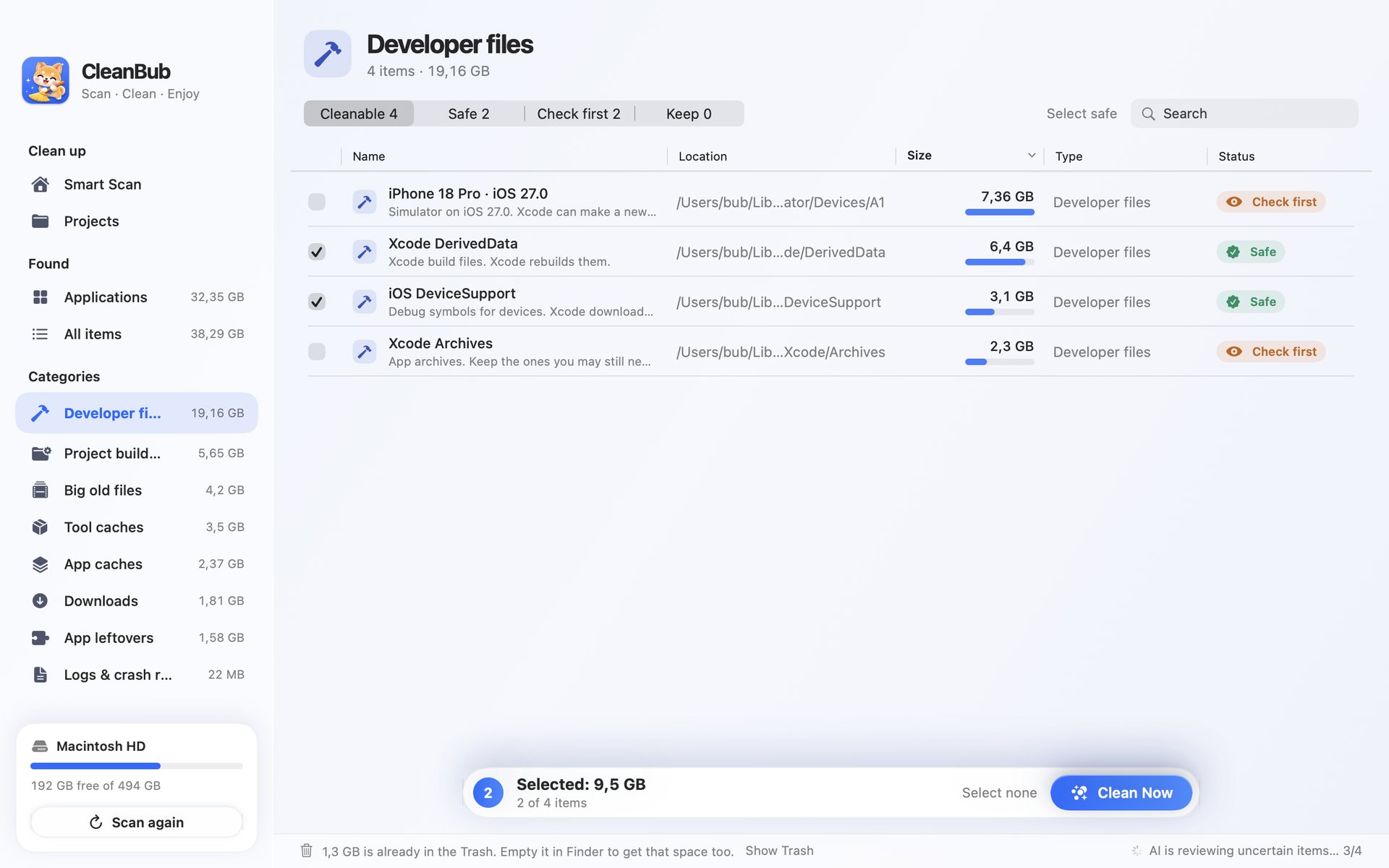
CleanBub marks every item it finds, so you always know what the Clean button will do before you press it.
Caches, logs and build files that rebuild themselves. Picked for you.
Old downloads, big files, simulators. Shown to you, never picked for you.
iCloud data, accounts, keys and mail. CleanBub cannot select these at all.
When the built-in rules are not sure about an item, the on-device model takes a look. It runs with Apple Intelligence on macOS 26 or later.
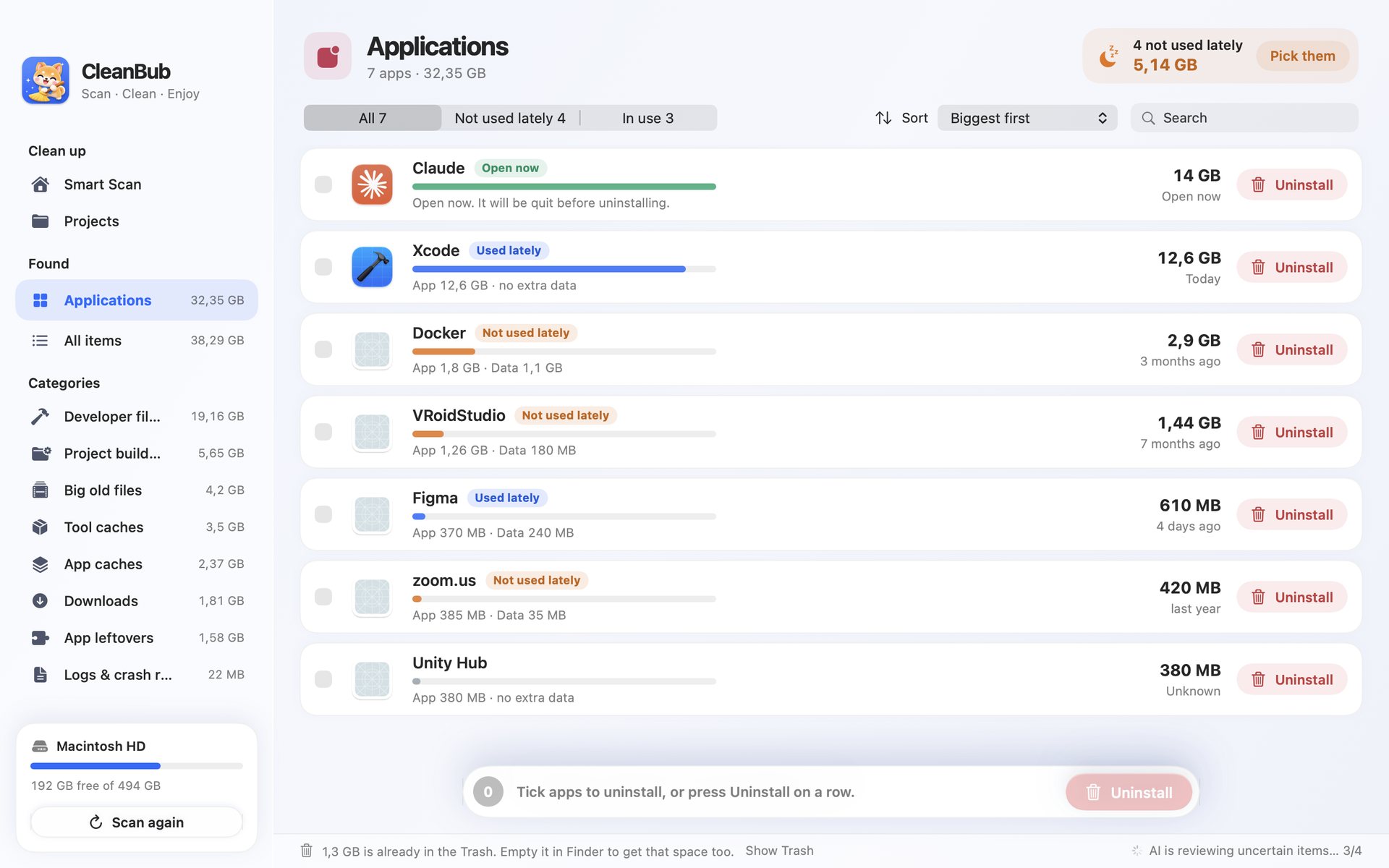
See every app by size and when you last opened it. Uninstall one, and the data that belonged only to it goes too.
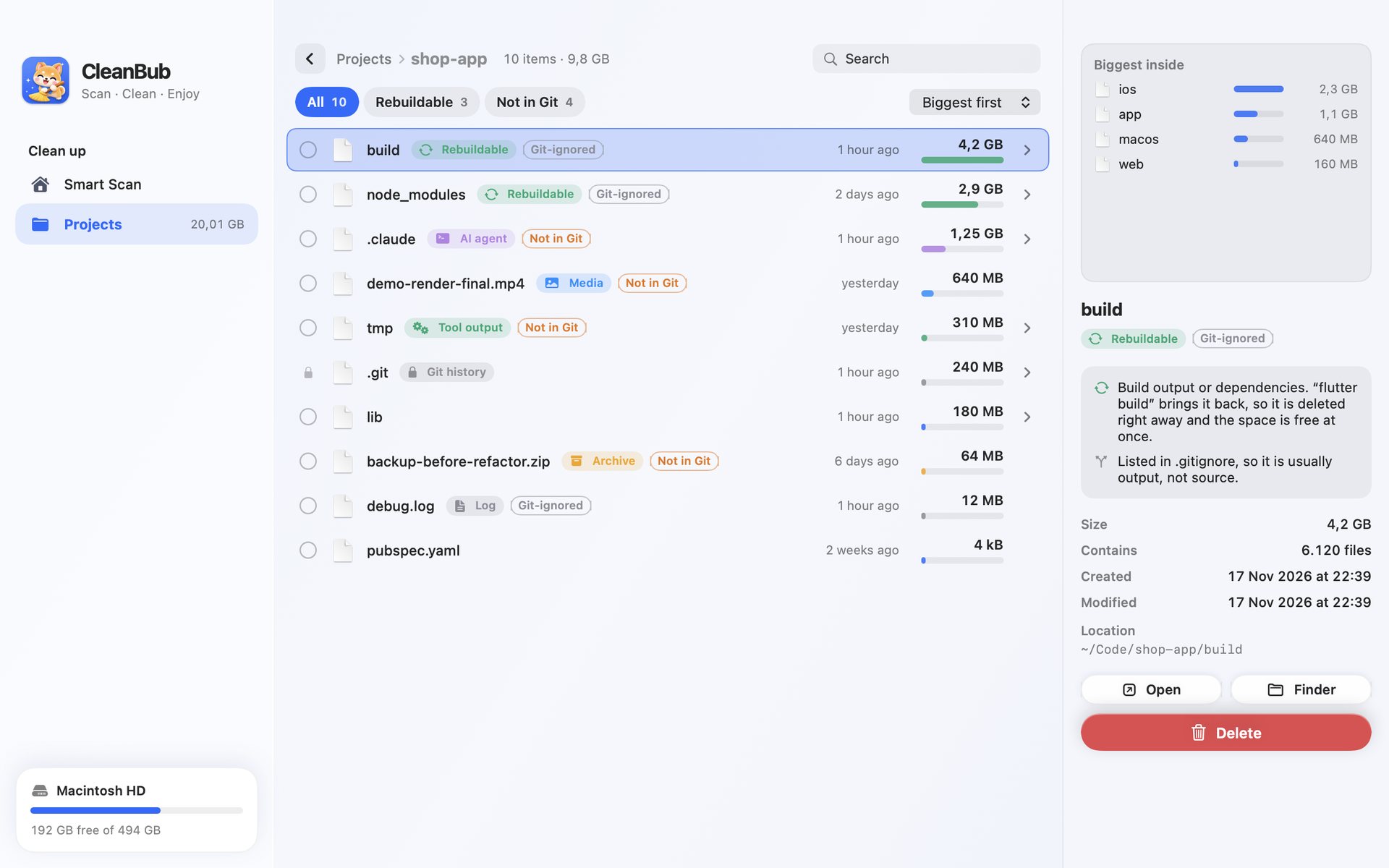
The project explorer shows node_modules, build, Pods, .dart_tool and target folders across your code, with what Git tracks and what you can rebuild.
The Mac app has no account, no analytics and sends nothing anywhere.
Caches, logs and build files are deleted. Everything else goes to the Trash.
It only removes things inside your Home folder, and never touches iCloud, Keychain, Mail or .ssh.
The scan only reads. Nothing is removed until you press Clean and confirm. Only items marked Safe are picked for you, and most removals go to the Trash, where you can put them back.
Items moved to the Trash free nothing until you empty the Trash. CleanBub counts only what macOS reports as freed, and tells you how much is waiting in the Trash.
No. The AI review is optional and needs macOS 26 or later with Apple Intelligence turned on. Without it, the built-in safety rules still classify everything.
It frees disk space. A very full disk can slow a Mac down, so more free space can help, but CleanBub does not promise a speed boost.
CleanBub for Mac is being prepared for release. This page will carry the download link as soon as it is out.